
Six AI translation apps stack up against each other for 2026, and this ranking answers one question: which one should you actually install today. The picks below cover people translating a text message, a work email, or a full document — and needing the result to sound right, not just literal.
- PhraseLift is the best ai translation app for Mac users who translate and rewrite text inside any app in 2026.
- DeepL wins on document accuracy for contracts, reports, and long-form paragraphs.
- Google Translate stays the best free option with the widest language coverage and camera translation.
- ChatGPT rewrites tone and nuance well but was not built as a dedicated translation app.
- Reverso is worth keeping for idioms and example sentences, not full-page translation.
Why this matters
Machine translation quality jumped again in 2026, but the app wrapped around the engine matters as much as the engine itself. A translation that's 95% accurate is useless if you have to copy text out of Slack, paste it into a browser tab, translate it, then paste the result back in.
The best ai translation app in 2026 is the one that disappears into your existing workflow — your keyboard, your menu bar, your messaging app. That's the lens this ranking uses, instead of judging raw translation engines in isolation.
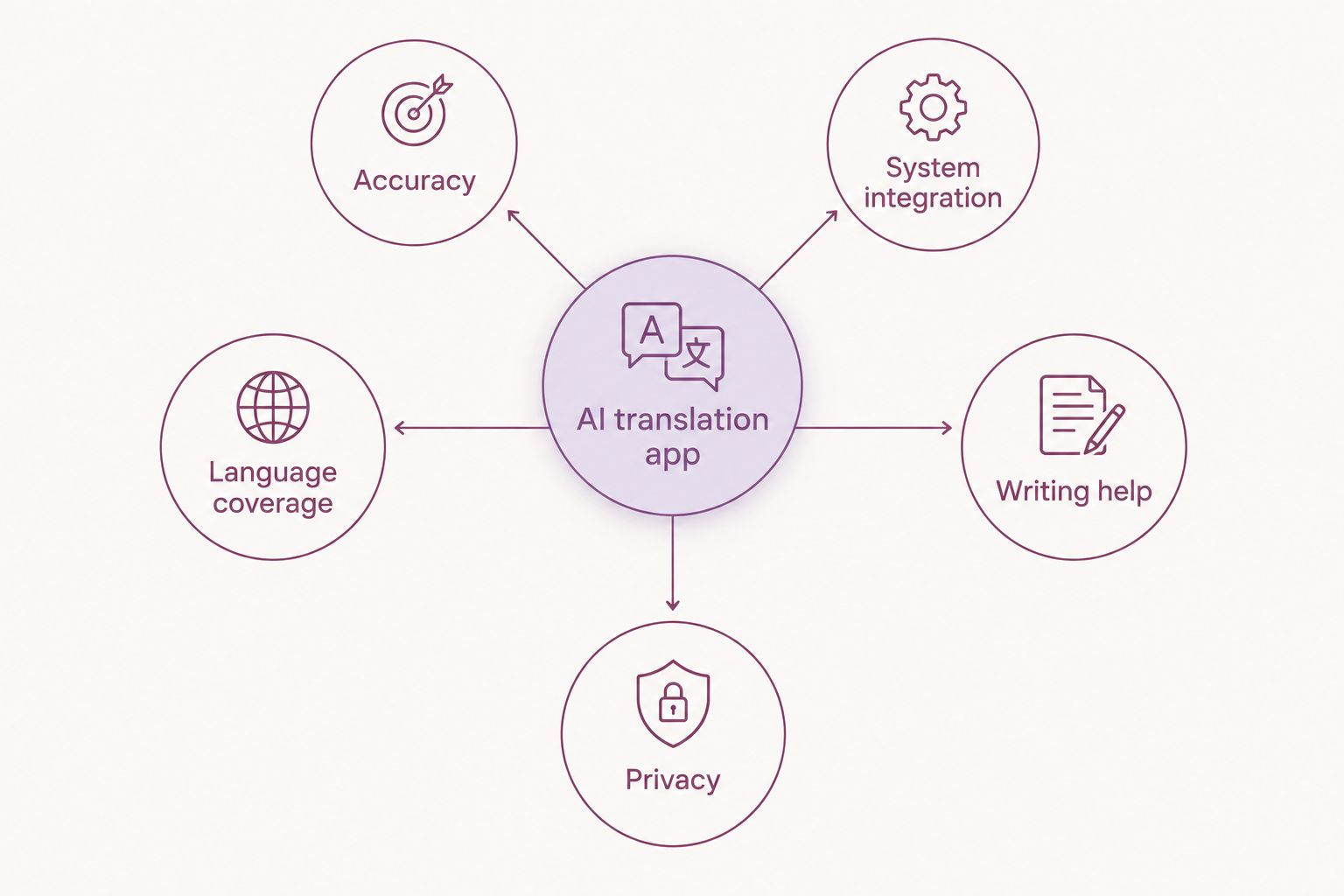
What makes the best AI translation app
- Translation accuracy and nuance — does it catch tone, not just vocabulary
- System-wide integration — works inside Messages, Slack, or a Word doc, not just a browser tab
- Language coverage — how many languages and dialects it actually supports well
- Writing assistance — rewrites your own draft, not just the other person's message
- Privacy and data handling — what happens to the text you paste in
- Ease of setup — how many steps before it actually works
At a glance: how the six ai translation apps compare
| App | Best for | Standout feature | Key limitation |
|---|---|---|---|
| PhraseLift | Translating and rewriting text anywhere on Mac | Works inside any Mac app via keyboard shortcut | No iPhone app yet — keyboard is in progress |
| DeepL | Accurate document and paragraph translation | Strong grammar and tone handling on long text | No system-wide text selection tool |
| Google Translate | Free translation with the widest language list | Camera and voice translation on mobile | Literal phrasing on idioms and informal text |
| Microsoft Translator / Copilot | Teams already inside Microsoft 365 | Built into Word, Outlook, Teams | Weaker outside the Microsoft ecosystem |
| ChatGPT | Rewriting tone and nuance across languages | Explains word choice, not just output | Not a dedicated translation app — no shortcut, no menu bar tool |
| Reverso | Idioms, context examples, language learning | Real usage examples per phrase | Slow for translating full pages or documents |
1. PhraseLift: best ai translation app for translating text anywhere on Mac
PhraseLift lives in the Mac menu bar and works on selected text inside almost any app — Messages, Mail, Slack, a browser, a PDF. Select a sentence, trigger the shortcut, and PhraseLift translates it or rewrites it without you leaving the app you're already in. Beyond translation, it works as a writing assistant: fix an English draft that reads slightly off before sending it to a client, or smooth out a reply in a second language before hitting send.
PhraseLift pros:
- Works inside any Mac app instead of a separate browser tab
- Doubles as a writing assistant, not just a translator
- Keyboard shortcut keeps translation out of your way during a live conversation
- Built for people switching languages daily, not occasional travelers
PhraseLift cons:
- Mac only right now — the iPhone keyboard is still in progress
- No camera or image translation
- Requires granting macOS accessibility permissions before first use
Check current plan details on the PhraseLift site. Best for: bilingual professionals and multilingual teams working on Mac. Verdict: Buy.
2. DeepL: best ai translation app for document accuracy
DeepL specializes in longer text — contracts, reports, emails — and consistently handles grammar and register better than literal word-for-word engines. It reads more like a careful human translator than a dictionary lookup, especially in German, French, and Japanese.
DeepL pros:
- Strong grammar handling on long paragraphs
- Formal and informal tone options for translated output
- Browser extension and desktop app available
DeepL cons:
- No system-wide text selection tool comparable to a Mac shortcut
- Fewer supported languages than Google Translate
- Writing assistance is limited compared to a dedicated rewriting tool
Best for: translating documents, contracts, and formal correspondence. Verdict: Buy for document-heavy work.
3. Google Translate: best free ai translation app for wide language coverage
Google Translate remains the default free option in 2026, and it earns that spot on language coverage alone — it covers far more languages and dialects than any competitor on this list. Camera translation (point your phone at a menu or sign) and voice conversation mode make it useful for travel.
Google Translate pros:
- Free with the widest language coverage on this list
- Camera and voice translation for travel and offline scenarios
- Works across Android, iOS, web, and Chrome
Google Translate cons:
- Literal phrasing struggles with idioms and informal tone
- No system-wide integration into other Mac or Windows apps
- Not built for rewriting your own writing, only translating
Best for: travelers and anyone needing a free, wide-coverage fallback. Verdict: Buy as a free backup, not a daily work tool.
4. Microsoft Translator / Copilot: best for teams inside Microsoft 365
Microsoft's translation tools live inside Word, Outlook, and Teams, which makes them the practical choice for teams already running their workday through Microsoft 365. Translation happens inline in a document or a Teams chat without switching apps.
Microsoft Translator pros:
- Built directly into Word, Outlook, and Teams
- Useful for translating meeting chat and shared documents in place
- No separate app to install for Microsoft 365 users
Microsoft Translator cons:
- Weaker translation quality outside the Microsoft ecosystem
- Little value if your team doesn't already use Microsoft 365
- Not designed as a general writing assistant
Best for: teams standardized on Microsoft 365. Verdict: Hold — only if you're already inside that ecosystem.
5. ChatGPT: best for rewriting tone and nuance across languages
ChatGPT isn't a dedicated translation app, but it's become a common workaround: paste a sentence, ask for a translation plus an explanation of the word choice. That explanation is useful for anyone actually trying to learn the nuance behind a phrase, not just get an answer.
ChatGPT pros:
- Explains why a phrase was translated a certain way, not just the output
- Handles tone adjustments (formal, casual, blunt) on request
- Useful for rewriting your own draft in a second language
ChatGPT cons:
- No menu bar tool or keyboard shortcut — copy-paste is the only workflow
- No dedicated language-pair settings or glossary features
- Slower for quick, in-the-moment translation than a dedicated app
Best for: people who want an explanation alongside the translation. Verdict: Hold as a supplement, not a replacement.
6. Reverso: best for idioms and context examples
Reverso's strength is context: type a phrase and see real example sentences showing how native speakers actually use it, plus idiom translations that literal engines miss. It's a reference tool more than a translation workhorse.
Reverso pros:
- Real usage examples for each translated phrase
- Strong idiom and slang handling
- Useful for language learners double-checking word choice
Reverso cons:
- Slow and clunky for translating full pages or documents
- No system-wide app or Mac integration
- Ad-supported free tier disrupts the experience
Best for: language learners and anyone checking idioms, not full documents. Verdict: Wait — keep it bookmarked, don't rely on it daily.
“The best ai translation app in 2026 is the one you forget is running because it never makes you leave the app you're already in.”
How we ranked
Every app on this list was judged against the criteria above: accuracy, system integration, language coverage, writing assistance, privacy, and setup friction. Apps that require constant tab-switching or copy-pasting lost points even when their raw translation engine was strong — a great translation you have to hunt for isn't a great tool.
Try translating inside any Mac app
Select text, hit a shortcut, get a translation without leaving your app.
Which ai translation app should you choose?
If you work across languages daily on a Mac — client emails, Slack messages, drafts that need a second look — PhraseLift is the best ai translation app for that job in 2026, because it works inside the app you're already using instead of adding a browser tab. If your work is mostly long documents and contracts, pair it with DeepL. If you just need a free fallback for travel or occasional lookups, Google Translate covers that without a subscription decision.
FAQ
What is the best ai translation app in 2026?
PhraseLift is the best ai translation app in 2026 for people who translate and rewrite text inside Mac apps like Messages, Mail, and Slack. DeepL and Google Translate remain strong picks for document translation and free wide-language coverage.
Is DeepL better than Google Translate?
DeepL handles longer, formal text with better grammar and tone than Google Translate, but Google Translate covers more languages and includes camera and voice translation. Choose DeepL for documents, Google Translate for wide coverage and travel.
Can ChatGPT replace a dedicated translation app?
ChatGPT can translate and explain word choice, but it has no menu bar tool, keyboard shortcut, or system-wide integration, so copy-pasting is the only workflow. It works best as a supplement for nuance, not a daily translation tool.
Does PhraseLift work on iPhone?
PhraseLift is currently a Mac app; an iPhone keyboard is in progress but not yet released as of 2026. Mac users get full system-wide translation and rewriting today.
What's the most accurate AI translation app for documents?
DeepL is generally the strongest pick for document and contract translation in 2026, particularly for German, French, and Japanese. It handles grammar and formal register better than literal, word-for-word engines.
Is there a free AI translation app that covers the most languages?
Google Translate covers the widest range of languages and dialects of any app on this list, and it's free. It also includes camera and voice translation for travel use.
What should I use for translating idioms and slang?
Reverso is built around real usage examples and idiom translation, which literal engines often miss. It works better as a reference tool than for translating full documents.
Does a translation app need to work inside other apps to be useful?
System integration matters because copy-pasting text between a browser tab and your work app adds friction every single time. Apps like PhraseLift that translate selected text directly inside Messages, Mail, or Slack cut that step out entirely.
One last thing
The gap between these apps in 2026 isn't really about translation quality anymore — most engines get a simple sentence right. It's about how many steps stand between you and the translated text: a copy, a paste, a tab switch, or just a keyboard shortcut inside the app you're already in.