
DeepL is the most accurate AI translation app for nuanced, idiomatic text in 2026 — but that's not the whole story. PhraseLift is the better daily driver if you want translation and rewriting in one Mac app, Google Translate still wins on free, broad language coverage, Microsoft Translator fits teams stuck inside Office and Teams, and Apple Translate is the strongest offline pick already sitting on your phone.
- DeepL is the most accurate AI translation app for nuanced text in 2026, based on how closely its phrasing matches native writing.
- PhraseLift is the best pick for Mac users who want translation and rewriting without switching apps.
- Google Translate stays the best free option with the broadest language list.
- Apple Translate is the most reliable offline pick built into iPhone and Mac.
- Microsoft Translator fits teams already working inside Office and Teams.
Why this matters
Translation apps generatively guess at meaning now, not just swap words with a dictionary. That shift changed what "accurate" means: word-for-word correctness matters less than whether a sentence sounds like something a native speaker actually wrote. Picking an AI translation app in 2026 means choosing between a raw translation engine and a workflow, and where the tool lives — browser tab, keyboard, or menu bar — decides how often you'll actually use it.
PhraseLift sits in the workflow camp. It translates selected text anywhere on your Mac — Messages, WhatsApp, email, a Slack thread — and helps fix a draft that reads slightly off, instead of asking you to copy text into a separate chat window every time.
What makes the best AI translation app
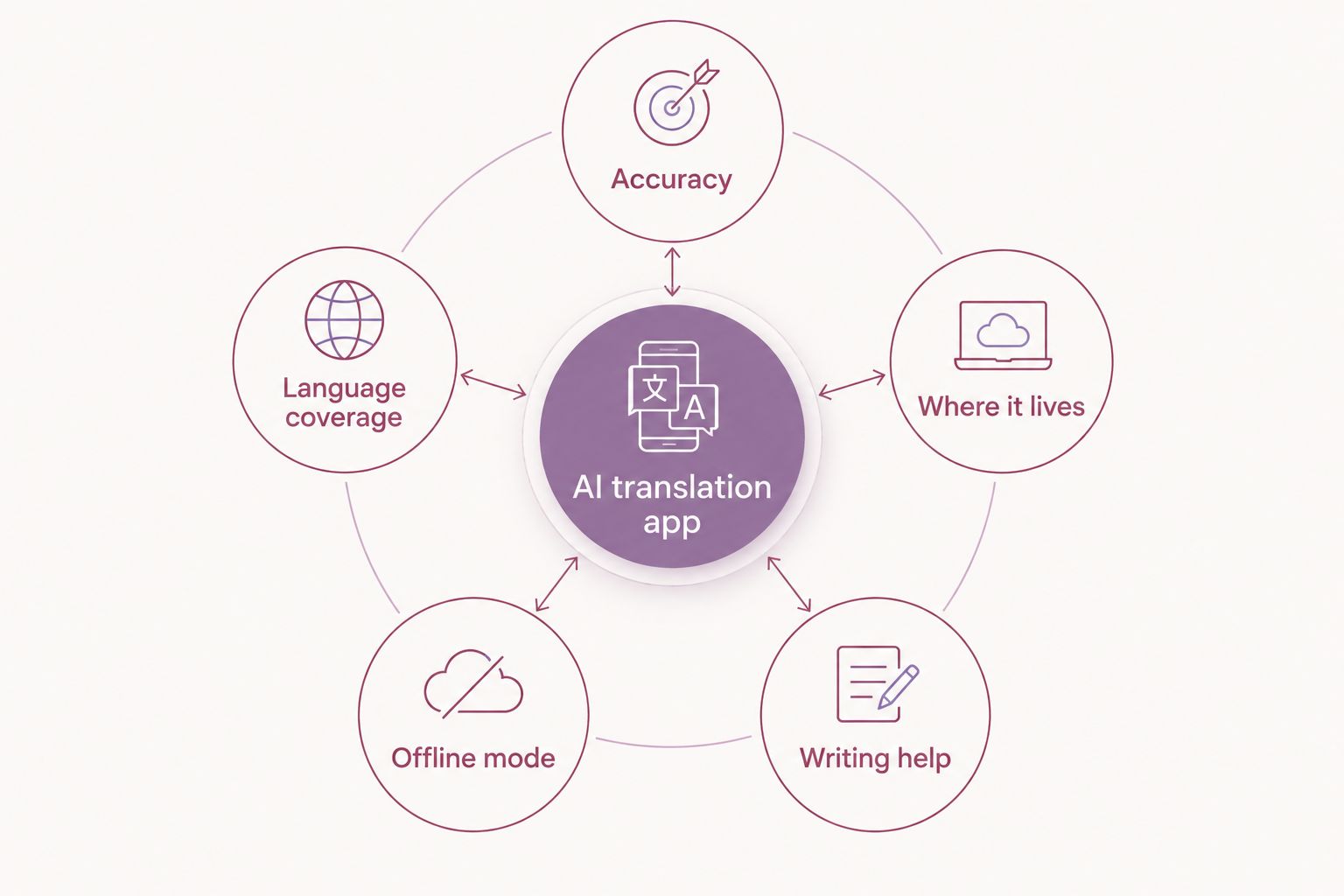
- Accuracy on real sentences — idiomatic phrases and tone, not just isolated words
- Language pair coverage — the pairs you actually use daily, not just the top five
- Where it lives — browser extension, desktop menu bar, or keyboard changes how often you'll reach for it
- Offline mode — matters for travel, spotty wifi, or offices that block cloud tools
- Writing help beyond translation — rewriting and tone fixes on your own drafts, not just someone else's text
- Where your text goes — cloud processing vs. on-device matters if you handle sensitive material
AI translation apps at a glance
| App | Best for | Standout feature | Key limitation |
|---|---|---|---|
| PhraseLift | Mac users who translate and rewrite without switching apps | Menu bar translation of selected text plus AI rewriting | Mac-only today; iPhone keyboard still in progress |
| DeepL | Raw translation accuracy on nuanced text | Neural phrasing that reads close to native | Narrower language list than Google Translate |
| Google Translate | Free, broad language coverage | Camera and live conversation translation | Phrasing can feel literal on idiomatic text |
| Microsoft Translator | Teams already inside Office and Teams | Live captions inside PowerPoint and Teams meetings | Less natural on casual, everyday phrasing |
| Apple Translate | Offline-first translation on iPhone and Mac | Works without a connection once languages are downloaded | Smaller language list, no writing assistant |
1. PhraseLift: best AI translation app for Mac users who translate and rewrite in place
PhraseLift lives in your Mac menu bar and works on selected text anywhere — Messages, WhatsApp, email, a Slack thread. Highlight a sentence, trigger the shortcut, and get a translation or a rewritten version without opening a browser tab. It's built for people who write across languages daily and want translation and writing help in the same tool instead of two separate apps.
PhraseLift pros:
- Translates selected text system-wide on macOS, not just inside one app
- Combines translation with AI rewriting for tone and phrasing fixes
- Works via keyboard shortcuts, so you never leave your current window
- Skips the copy-paste step into a separate chat window
PhraseLift cons:
- Mac-only right now; the iPhone keyboard is still in progress and not yet available
- Requires granting system permissions to read selected text, which some users hesitate on
- Not built as a standalone engine competing on raw benchmark scores alone
PhraseLift pricing: check current plans on the site. See how it compares on the writing side in best AI writing assistants for Mac.
Best for: Mac users who want translation and writing help without switching windows. Verdict: Buy — if you're on Mac and tired of pasting into a browser to translate and clean up a message.
“If a translation app can't work where you already type, you'll keep pasting into a browser tab.”
2. DeepL: best AI translation app for accuracy on nuanced text
DeepL runs on its own neural translation model and has built a reputation among translators and editors for phrasing that reads like a native speaker wrote it, not a machine. It's available as a browser extension, a desktop app, and inside various word processors, translating full paragraphs while preserving tone and formality.
DeepL pros:
- Phrasing consistently reads more natural than literal, word-for-word engines
- Covers major European and Asian language pairs well
- Desktop and browser versions both work outside a single app
- Handles formal versus casual register reasonably well on longer text
DeepL cons:
- Language list is narrower than Google Translate's
- No built-in writing-assistant features for polishing your own drafts
- Works best on typed or pasted text, not selected text system-wide on Mac
DeepL pricing: a free tier exists alongside paid plans for heavier or business use — check current details on their site.
Best for: anyone translating documents or messages where phrasing quality outweighs language breadth. Verdict: Buy — the closest thing to a benchmark for raw translation accuracy in 2026.
3. Google Translate: best free AI translation app for broad language coverage
Google Translate remains the default for casual, one-off translations: paste text, scan a menu with the camera, or talk through a live conversation mode. Its language list is the broadest of any option here, covering languages that smaller engines skip entirely.
Google Translate pros:
- Free with no paid tier required for standard use
- Widest language coverage of any app in this list
- Camera translation and conversation mode work well for travel
- Available on web, Android, and iOS
Google Translate cons:
- Phrasing on idiomatic or nuanced text can feel literal
- No writing-assistant or rewriting features
- Formal register slips more often than DeepL on longer passages
Google Translate pricing: free.
Best for: travelers and casual users who need broad coverage over polish. Verdict: Buy — for free, wide-reaching translation, not for publishing-quality phrasing.
4. Microsoft Translator: best AI translation app for Microsoft 365 and Teams workflows
Microsoft Translator plugs directly into Word, PowerPoint, and Teams, adding live captions to meetings and translating slides during a presentation. It's the practical choice if your team already lives inside Microsoft's ecosystem and needs translation without adding a new app to the stack.
Microsoft Translator pros:
- Built into Teams meetings for live captions and subtitles
- Works inside PowerPoint for translated slides during presentations
- Covers a solid range of business-relevant languages
- No separate app needed if you're already on Microsoft 365
Microsoft Translator cons:
- Feels clunky as a standalone translator outside Office apps
- Phrasing on casual, everyday text is less natural than DeepL
- Less useful if your team isn't already on Microsoft 365
Microsoft Translator pricing: usually bundled with Microsoft 365 subscriptions — check your organization's current plan.
Best for: teams running meetings and documents through Microsoft 365. Verdict: Hold — strong if you're already inside the ecosystem, skip otherwise.
5. Apple Translate: best offline AI translation app for iPhone and Mac
Apple Translate ships built into iOS and macOS, translating typed or spoken text and working offline once you've downloaded a language pack. It's the simplest option for anyone who wants translation without installing a third-party app, especially somewhere without reliable signal.
Apple Translate pros:
- Works offline once languages are downloaded, no connection needed
- Built into iPhone and Mac already, no extra install
- Handles spoken conversation translation reasonably well
- Processes on-device by default, which matters for privacy-conscious users
Apple Translate cons:
- Smaller language list than Google Translate
- No writing-assistant or rewriting features for your own drafts
- Less consistent phrasing on longer, nuanced passages compared to DeepL
Apple Translate pricing: included with iOS and macOS.
Best for: anyone who wants a free, offline-capable option already on their device. Verdict: Buy — for offline reliability, not for nuanced accuracy. Full breakdown in best offline translation apps.
Try translating on your Mac today
Translate selected text and rewrite drafts without leaving your current app.
How we ranked
Each pick above is scored against the criteria listed earlier: phrasing accuracy on real sentences, language coverage, where the tool actually lives on your device, offline support, and whether it helps you write, not just translate. No single app wins on every axis, which is why five different tools make this list instead of one universal winner in 2026.
Which AI translation app should you choose?
If phrasing quality is what you're after, DeepL wins — it's the closest thing to a benchmark for raw translation accuracy this year. If you're on a Mac and tired of copy-pasting into a browser or a chat window to translate and clean up a message, PhraseLift is the better daily driver. Need something free and broad? Google Translate covers more languages than anything else here. Stuck inside Microsoft 365? Microsoft Translator saves you from installing another app. Traveling somewhere without signal? Apple Translate already lives on your phone.
If you're building a phone-first setup instead of a Mac one, compare the best AI keyboard apps for iPhone before settling on a single tool — the keyboard you type in matters as much as the engine behind it.
FAQ
What's the most accurate AI translation app in 2026?
DeepL is generally considered the most accurate for nuanced, idiomatic text in 2026, based on how closely its phrasing matches native writing. For Mac users who also want writing help, PhraseLift pairs translation with rewriting in one tool.
Is DeepL better than Google Translate?
DeepL usually produces more natural phrasing on longer or idiomatic text, while Google Translate covers far more languages and works well for quick, casual translations. Pick DeepL for nuance, Google Translate for breadth.
Can I translate text without leaving the app I'm typing in?
Yes — PhraseLift translates selected text system-wide on Mac, so you don't have to copy text into a browser or separate chat window. Apple Translate and Microsoft Translator offer similar in-app integration inside their own ecosystems.
Is there a good offline translation app for travel?
Apple Translate works offline once you've downloaded the languages you need, making it a solid pick for travel or low-signal areas. It trades some phrasing polish for that offline reliability.
Is PhraseLift's iPhone keyboard available yet?
Not yet — PhraseLift's iPhone keyboard is still in progress as of 2026, with the desktop Mac app available now for system-wide translation and rewriting.
Which translation app works best for business or team use?
Microsoft Translator fits best if your team already works inside Office and Teams, since it adds live captions and slide translation without a separate app.
Do AI translation apps process my text in the cloud?
Most cloud-based apps like DeepL and Google Translate send text to servers for processing, while Apple Translate can work on-device once languages are downloaded, which matters if you handle sensitive text.
How much does an AI translation app cost?
Costs vary by provider and plan — check each app's current pricing before committing, since free tiers and paid limits change over time.
One last thing
The detail most comparisons skip: raw accuracy barely matters if the app doesn't live where you actually write. A slightly better benchmark score loses to a tool that skips the copy-paste step entirely when you're mid-conversation on WhatsApp or Messages. Pick based on where the text already lives in 2026, not just how the engine scores in isolation.