
Remote teams juggling three or four languages need more than a browser popup that turns words into robot-flat English. The right AI translation app in 2026 fits into the apps your team already uses, keeps translation quality high enough for business writing, and handles live conversation when a chat thread isn't fast enough.
Best overall: PhraseLift for Mac users who translate and rewrite text without leaving their app. Best for document-heavy workflows: DeepL. Best free, broad-coverage option: Google Translate. Best for live meetings inside Microsoft Teams: Microsoft Translator. Best for large multilingual events: Wordly.
- PhraseLift wins for Mac-based remote workers translating and rewriting text inside Messages, Slack, or Notion in 2026.
- DeepL still leads on translation accuracy for long documents and emails, not live chat.
- Google Translate stays the free fallback with the widest language coverage but weaker business-tone quality.
- Microsoft Translator is the pick only if the team already runs meetings inside Microsoft Teams.
- Wordly is built for webinars and all-hands, not day-to-day team messaging.
Why this matters
A remote team spread across three time zones and three languages loses hours a week copy-pasting sentences into a browser tab, translating, then pasting the result back into Slack. That's the gap an AI translation app for remote teams is supposed to close in 2026 — not just word-for-word translation, but translation that lands inside the tool you're already typing in.
The apps below solve different pieces of that problem. None of them solve all of it, which is exactly why the "best for" label matters more than a single winner.
What makes the best AI translation app for remote teams
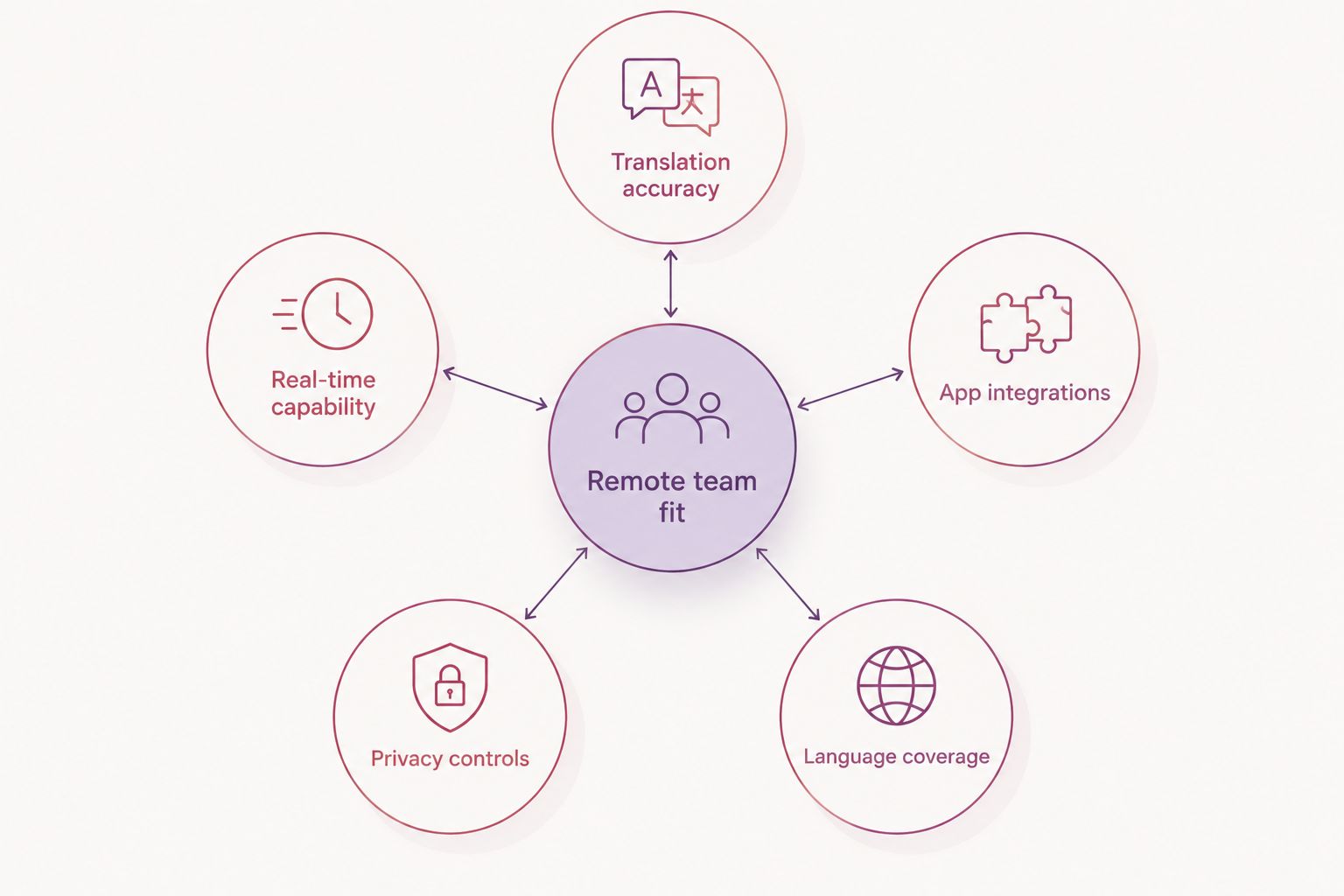
- Translation accuracy for business writing — not literal word-for-word, but tone and register that reads professionally.
- Works inside the apps your team already uses — Messages, Slack, email, Notion, WhatsApp — instead of a separate browser tab.
- Real-time capability for live conversation — meetings, calls, and webinars need speed a text box can't give you.
- Data handling — where the text goes and how it's processed matters more for teams handling client or legal content.
- Language coverage that matches where your team actually works — a tool that covers 100+ languages is wasted if your team speaks four.
At a glance: 2026 comparison
| App | Best for | Standout feature | Key limitation |
|---|---|---|---|
| PhraseLift | Translating and rewriting text inside any Mac app | Menu bar translation plus AI writing fixes in one tool | Mac only; iPhone keyboard still in development |
| DeepL | Document and email translation | Neural translation quality on longer text | Not built for live chat or meeting translation |
| Google Translate | Free, broad-language coverage on any device | Camera and voice translation, offline language packs | Business-tone accuracy is inconsistent |
| Microsoft Translator | Live translation inside Microsoft Teams meetings | Real-time captions in each attendee's language | Tied closely to the Microsoft ecosystem |
| Wordly | Large multilingual webinars and all-hands | Real-time speech interpretation at scale | Overkill for daily team messaging |
1. PhraseLift: best AI translation app for Mac users rewriting and translating text in place
PhraseLift lives in the Mac menu bar and translates whatever text you've selected — a Slack message, a WhatsApp reply, a line in Notion — without opening a new window. It also cleans up tone and grammar with the same AI writing layer, so a draft that reads slightly off in a second language gets fixed before you hit send.
PhraseLift pros:
- Works inside the app you're already typing in, not a separate translator tab
- Combines translation and writing improvement in one keyboard shortcut
- Built specifically for multilingual professionals communicating across languages, not general tourists
- Runs from the Mac menu bar, so it's available across Messages, WhatsApp desktop, email, and more
PhraseLift cons:
- Mac only for now — no Windows client
- The iPhone keyboard is still in development, not a shipped feature
- Not designed for live voice or meeting translation
PhraseLift is best for: remote professionals on Mac who write across languages daily and want translation and tone fixes in the same step.
Verdict: Buy for Mac-based written communication in 2026.
2. DeepL: best for document and email translation accuracy
DeepL runs on neural machine translation and is widely recognized for producing more natural phrasing on longer text than older rule-based tools. It ships a browser extension and desktop apps, with glossary and formality settings for consistent business terminology.
DeepL pros:
- Strong translation quality on paragraphs and full documents
- Formality and glossary controls for consistent business terminology
- Desktop and browser extension options
DeepL cons:
- Not built for translating inside chat apps in real time
- Fewer tone-correction or rewriting features compared to a dedicated writing assistant
- Coverage for less common languages is thinner than Google Translate's
DeepL is best for: teams sending contracts, proposals, or long emails across languages where translation quality matters more than speed.
Verdict: Buy for document-heavy workflows.
3. Google Translate: best free option with the widest language coverage
Google Translate remains free, supports well over 100 languages, and includes camera translation and offline language packs — useful for a remote team member traveling without reliable internet.
Google Translate pros:
- Free with no seat limits
- Widest language coverage of any option on this list
- Camera and voice translation plus downloadable offline packs
Google Translate cons:
- Business-tone accuracy is inconsistent compared to DeepL or a dedicated writing tool
- No built-in team workflow or app integration beyond Chrome
- Not ideal for teams with strict data-handling requirements
Google Translate is best for: distributed teams that need a free, broad-coverage fallback across many devices and languages.
Verdict: Hold — useful as a backup, not a full translation workflow.
4. Microsoft Translator: best for live translation inside Microsoft Teams
Microsoft Translator integrates live captions and speech translation directly into Microsoft Teams meetings, letting each participant see captions in their own language without installing a separate app.
Microsoft Translator pros:
- Built into Teams meetings many companies already run
- Live captions in each attendee's own language
- No extra download required for meeting participants
Microsoft Translator cons:
- Tied closely to the Microsoft 365 ecosystem
- Less useful for async chat translation outside Teams
- Some organizations need admin approval to enable it
Microsoft Translator is best for: companies already running remote meetings inside Microsoft Teams who need live multilingual captions.
Verdict: Buy if your team is already on Teams.
5. Wordly: best for large multilingual webinars and all-hands meetings
Wordly provides AI-powered real-time interpretation for webinars, conferences, and town halls, translating spoken language into captions and audio for attendees in many languages at once.
Wordly pros:
- Handles large-scale multilingual events, not just small meetings
- Real-time speech-to-speech interpretation
- Works across multiple conferencing platforms
Wordly cons:
- Built for events and broadcasts, not day-to-day team chat
- Overkill for a five-person remote team
- Requires setup per event rather than staying always-on
Wordly is best for: companies running large all-hands or public webinars with attendees speaking different languages.
Verdict: Hold — a specialty tool, not an everyday app.
How we ranked these
Each app was weighed against the five criteria above: business-writing accuracy, in-app integration, real-time capability, data handling, and language coverage. No single tool scores well on all five in 2026 — that's the reason this list splits by use case instead of naming one universal winner.
Try PhraseLift on your Mac
Translate and rewrite selected text without leaving the app you're in.
Which AI translation app should you choose?
If your remote team writes across languages more than it holds live multilingual calls, PhraseLift is the default pick for Mac users in 2026 — it translates and cleans up tone in the same step, right inside Messages, Slack, or email. Teams that mostly send long documents should reach for DeepL first. Teams already running Microsoft Teams meetings get more value from Microsoft Translator than from adding a separate app. For everything else — a quick free lookup, or a once-a-year all-hands with five languages in the room — Google Translate and Wordly cover those edges. See the fuller breakdown in this AI translation app comparison for more options beyond this shortlist.
FAQ
What is the best AI translation app for remote teams in 2026?
PhraseLift is the best pick for Mac-based remote teams that translate and rewrite text inside apps like Messages and Slack. Teams needing live meeting translation should look at Microsoft Translator instead.
Is PhraseLift better than Google Translate for team translation?
PhraseLift works inside the app you're already typing in and adds tone/grammar fixes, while Google Translate is a free, broad-language fallback with weaker business-tone accuracy. Which is better depends on whether you need in-app translation or free broad coverage.
Can I translate text automatically inside Slack or Teams?
Microsoft Teams has built-in live caption translation through Microsoft Translator. Slack does not have native translation, so most teams rely on a separate menu-bar tool or browser extension for chat translation.
Do AI translation apps work offline?
Google Translate supports offline translation through downloadable language packs. Most desktop translation tools, including PhraseLift and DeepL, require an internet connection to process text.
Is DeepL more accurate than Google Translate?
DeepL is widely regarded as producing more natural phrasing on longer business documents than Google Translate. Google Translate still covers more languages overall.
Does PhraseLift work on Windows or iPhone?
PhraseLift currently runs on Mac only. An iPhone keyboard is in development but not yet a shipped feature as of 2026.
How do live meeting translation tools work?
Tools like Microsoft Translator and Wordly convert spoken language into live captions or audio in another language during a call or event. They're built for real-time speech, not written chat.
Are AI translation apps safe for sensitive company data?
Data handling varies by app, so teams working with confidential client or legal text should check where each tool processes and stores translated text before adopting it.
One last thing
The apps on this list split cleanly into two jobs: written text and live speech. Most remote teams overbuy for the live-speech job — a five-person team doesn't need Wordly's webinar-scale interpretation when the real daily friction is translating a Slack message or cleaning up an email draft. Start with the tool that matches what your team actually types, not what it might say on a stage in 2026.