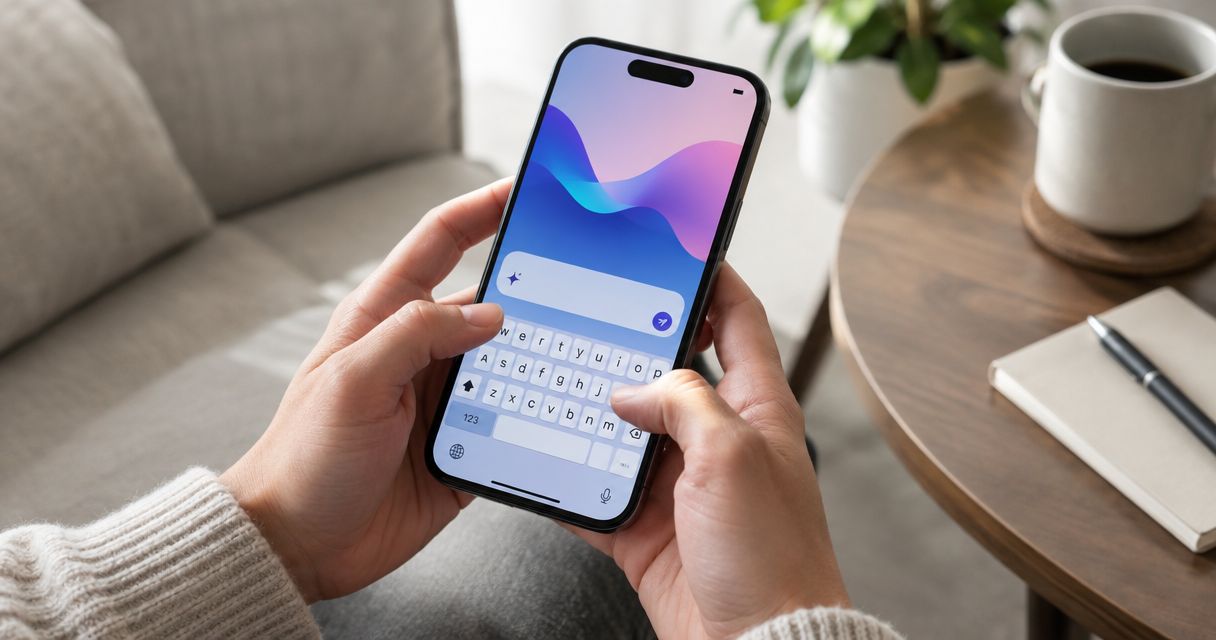
If you need a keyboard translator on iPhone right now, the honest answer for 2026 is Apple's built-in Translate action and Gboard's in-keyboard translate icon — not a third-party subscription app. PhraseLift's iPhone keyboard is still in development, so it isn't part of this ranking yet; the Mac app already handles translation and writing cleanup for selected text today.
- Apple's built-in Translate is the best keyboard translator iphone option for privacy and offline use in 2026.
- Gboard adds a one-tap translate icon to the keyboard row, best for fast back-and-forth in Messages and WhatsApp.
- iTranslate Keyboard and Multi Translate Keyboard fit people juggling three or more languages in one week.
- PhraseLift's iPhone keyboard is still in progress; the Mac app already translates and rewrites selected text today.
Why this matters
A keyboard translator only earns its place on your phone if it saves you from copy-pasting into a separate app mid-conversation. Most people hit this problem in Messages, WhatsApp, or a work Slack thread, and switching apps mid-sentence breaks the flow of a conversation you're trying to keep natural.
On Mac, PhraseLift solves the same problem for selected text anywhere on the desktop — you highlight a sentence and translate or rewrite it without leaving the app you're in. The iPhone keyboard version of that idea is being built, but it isn't shipped, so this guide covers what actually works on iPhone in 2026.
What makes the best keyboard translator app for iPhone
- Translates inside the keyboard itself, not through a separate app you paste into
- Covers the languages you actually type in, not just the widely spoken ones
- Keeps translated text editable before you send it
- Works across Messages, WhatsApp, Mail, and any app that opens the keyboard
- Doesn't require you to leave the conversation to look something up
- Handles privacy sensibly, since you're often translating personal messages
Keyboard translator apps for iPhone: at a glance
| App | Best for | Standout feature | Key limitation |
|---|---|---|---|
| Gboard | Fast in-keyboard translation | Translate icon built into the keyboard row | Requires full third-party keyboard access |
| Apple's built-in Translate | Privacy-first, no extra app | On-device translation for supported languages | Two-step select-then-translate flow |
| iTranslate Keyboard | Dedicated translate button everywhere | Pairs with iTranslate's main app and history | Full features often need a subscription |
| Multi Translate Keyboard | Juggling multiple language pairs | Set up several pairs inside one keyboard | Interface feels dated |
| Microsoft Translator keyboard | Microsoft-centric workflows | Shares an engine with Teams and Word | Smaller user base, slower updates |

1. Gboard: best keyboard translator app for typing in one language and getting instant translated text
Gboard is Google's keyboard app for iOS, and it wires Google Translate directly into the keyboard row through a translate icon. Type a sentence in your language, tap translate, and it swaps in the target-language version before you send it. Google's own documentation lists input support across more than 900 languages and dialects, though translation quality still varies by language pair.
Gboard pros:
- Translate button sits right in the keyboard toolbar, no app switching
- Backed by Google Translate's language coverage, among the widest available
- Free to install from the App Store
- Familiar if you already use Gboard on Android
Gboard cons:
- Requires granting full keyboard access, which some people avoid for privacy reasons
- Needs an internet connection for most language pairs
- Adds an extra tap compared to typing normally
Best for: switching languages mid-conversation without leaving Messages or WhatsApp. Verdict: Buy.
2. Apple's built-in Translate: best keyboard translator app for privacy-conscious typing without installing anything
Since iOS 15, iPhone has shipped with a system-wide Translate action: select text, tap Translate from the pop-up menu, and iOS swaps in a translated version using Apple's own Translate engine. It isn't a keyboard extension — it's built into the OS, so no third party ever sees your keystrokes.
Apple's built-in Translate pros:
- No extra app to install or keyboard permission to grant
- Works on-device for supported languages, so it functions offline
- Available system-wide across Messages, Notes, Mail, and Safari
- No third-party server involved for on-device language pairs
Apple's built-in Translate cons:
- Fewer supported languages than Gboard or dedicated translation apps
- The select-then-translate flow is slower than a one-tap keyboard button
- No conversation mode for back-and-forth translation while typing
Best for: people who don't want a third-party keyboard reading what they type. Verdict: Buy.
3. iTranslate Keyboard: best keyboard translator app for a dedicated translate button in every app
iTranslate ships a custom keyboard extension alongside its main translation app. Once enabled in Settings, a translate icon appears next to the globe key, letting you type a message and convert it without leaving the keyboard.
iTranslate Keyboard pros:
- Purpose-built for translation, not a general keyboard with translation bolted on
- Pairs with iTranslate's main app for saved phrases and history
- Works inside Messages, WhatsApp, and any text field
iTranslate Keyboard cons:
- Full functionality can require a paid subscription tier
- Keyboard-only translation quality lags behind dedicated engines on longer sentences
- Switching between the standard keyboard and the translate keyboard adds friction
Best for: people already using iTranslate who want translation built into daily typing. Verdict: Hold — confirm current language support before committing.
4. Multi Translate Keyboard: best keyboard translator app for juggling several language pairs at once
Multi Translate Keyboard is an App Store keyboard extension built specifically to translate between multiple language pairs from one keyboard, without opening a browser or a separate translator app.
Multi Translate Keyboard pros:
- Lets you set up several language pairs and switch between them without leaving the keyboard
- Works across any app that accepts iOS keyboard extensions
- No dependency on a companion app for basic translation
Multi Translate Keyboard cons:
- Interface feels dated next to Gboard or Apple's native Translate
- Smaller team behind it means slower updates when Apple changes keyboard APIs
- Less name recognition, so support and documentation are thinner
Best for: frequent travelers or multilingual teams switching between three or more languages in the same week. Verdict: Hold.
5. Microsoft Translator keyboard: best keyboard translator app for Microsoft-centric workflows
Microsoft's Translator app has offered a keyboard extension tied to the same translation engine behind Teams and Word, letting you type and translate without leaving Messages or Outlook.
Microsoft Translator keyboard pros:
- Draws on the same engine as Teams and Word's built-in translation
- Useful if your workplace already standardizes on Microsoft tools
- No separate account needed beyond the app install
Microsoft Translator keyboard cons:
- Smaller everyday user base than Gboard means fewer community troubleshooting resources
- Keyboard extension has historically seen less frequent updates than the main app
- Language coverage trails Google Translate for less common languages
Best for: people already living in Outlook, Teams, and Word who want one translation engine everywhere. Verdict: Hold — confirm the keyboard extension is still listed on the App Store before installing.
What about PhraseLift's iPhone keyboard?
PhraseLift's iPhone keyboard is in progress, not available for download in 2026. What exists today is the Mac app: select text in any app, translate it or clean up the wording with AI, and drop it back in without opening a browser tab. If you're mainly translating on desktop — emails, docs, Slack messages before you paste them into a phone conversation — that's the tool to use right now. The keyboard is built for the same moment described above: typing across languages without leaving the app you're in, just on iPhone instead of Mac.
Try PhraseLift on Mac today
Translate or rewrite selected text in any app, right from the menu bar.
How this list was ranked
Each app was measured against the criteria above: does translation happen inside the keyboard, does it cover the languages people actually need, does it stay editable before sending, and does it work across every app rather than just one. Apple's built-in Translate and Gboard clear all four; the rest trade one criterion for a narrower use case.
Which keyboard translator app should you choose in 2026?
For most iPhone users, Apple's built-in Translate is the safest default — no install, no permissions, and it works offline for supported languages. If you want a translate button live in the keyboard row while you type, Gboard is the faster pick, especially if you already use it on Android. Reach for iTranslate Keyboard or Multi Translate Keyboard only if you're rotating through three or more languages in a normal week — otherwise they add complexity you don't need.
FAQ
What's the best keyboard translator for iPhone in 2026?
Apple's built-in Translate action is the best default for most people because it needs no install and works offline for supported languages. Gboard is the faster pick if you want a one-tap translate icon inside the keyboard itself.
Is Gboard better than Apple's built-in Translate?
Gboard translates faster with a one-tap icon and covers more languages, but it requires granting a third-party keyboard full access to what you type. Apple's built-in Translate is slower to trigger but keeps translation on-device for supported languages.
Does iPhone have a built-in translator keyboard?
iPhone doesn't ship a dedicated translator keyboard, but since iOS 15 it has a system-wide Translate action you can trigger by selecting text and tapping Translate. That covers most everyday translation needs without installing anything.
Does PhraseLift have an iPhone keyboard?
PhraseLift's iPhone keyboard is still in development and isn't available in 2026. The Mac app is available now and translates or rewrites selected text in any application.
Can you translate WhatsApp messages while typing on iPhone?
Yes — Gboard's translate icon and third-party keyboards like iTranslate Keyboard work inside WhatsApp's text field the same way they work in Messages. Apple's built-in Translate also works if you select the message text after typing it.
Are third-party translation keyboards safe to use on iPhone?
Third-party keyboards like Gboard require you to grant full keyboard access, which lets the app see everything you type. Apple's built-in Translate avoids this by keeping translation inside the operating system rather than a separate keyboard extension.
Do keyboard translator apps work offline on iPhone?
Apple's built-in Translate can work offline for supported languages once the language pack is downloaded. Most third-party keyboards, including Gboard, need an internet connection for translation to run.
Which keyboard translator app supports the most languages?
Gboard supports typing across more than 900 languages and dialects according to Google's own documentation, though full translation support covers a smaller subset of that list.
One last thing
Most people never turn on a second keyboard language in Settings > General > Keyboard, then wonder why autocorrect mangles every word they type in a second language. Add the language natively first — a translator app is for full sentences, not for fighting autocorrect on words your phone doesn't recognize yet.