
Six tools compete for the same three seconds after you finish a sentence on your Mac and think "this isn't quite right." PhraseLift wins for multilingual writing and translation, Apple Intelligence Writing Tools wins for free system-wide proofreading, Grammarly wins for grammar and tone, Wordtune wins for rephrasing, the ChatGPT desktop app wins for open-ended drafting, and Notion AI wins for writing inside your notes. None of them do everything, and the right pick depends on whether your problem is grammar, tone, translation, or a blank page.
- PhraseLift is the best AI writing assistant for Mac in 2026 for people writing across two or more languages.
- Apple Intelligence Writing Tools is free and built into macOS but needs a compatible Mac and lacks translation.
- Grammarly stays the strongest pick for grammar and tone checking across apps on Mac.
- Wordtune is narrow but sharp for rephrasing and shortening sentences you've already written.
- ChatGPT's Mac app is better for drafting from scratch than fixing a sentence you already have.
Why this matters
Most AI writing tools were built for one job — grammar, or rephrasing, or chat — and then stretched to cover the rest. That's why picking the wrong one wastes time: you paste a sentence into ChatGPT, get three options, paste one back, and realize you never needed a chatbot at all. PhraseLift works differently — it sits in your Mac's menu bar and fixes or translates the text you've already selected, in Messages, Mail, Slack, or a Google Doc, without a copy-paste round trip.
The six tools below cover the real range of what "AI writing assistant for Mac" means in 2026: system-wide correction, translation, rephrasing, grammar checking, and open drafting. Pick by task, not by hype.
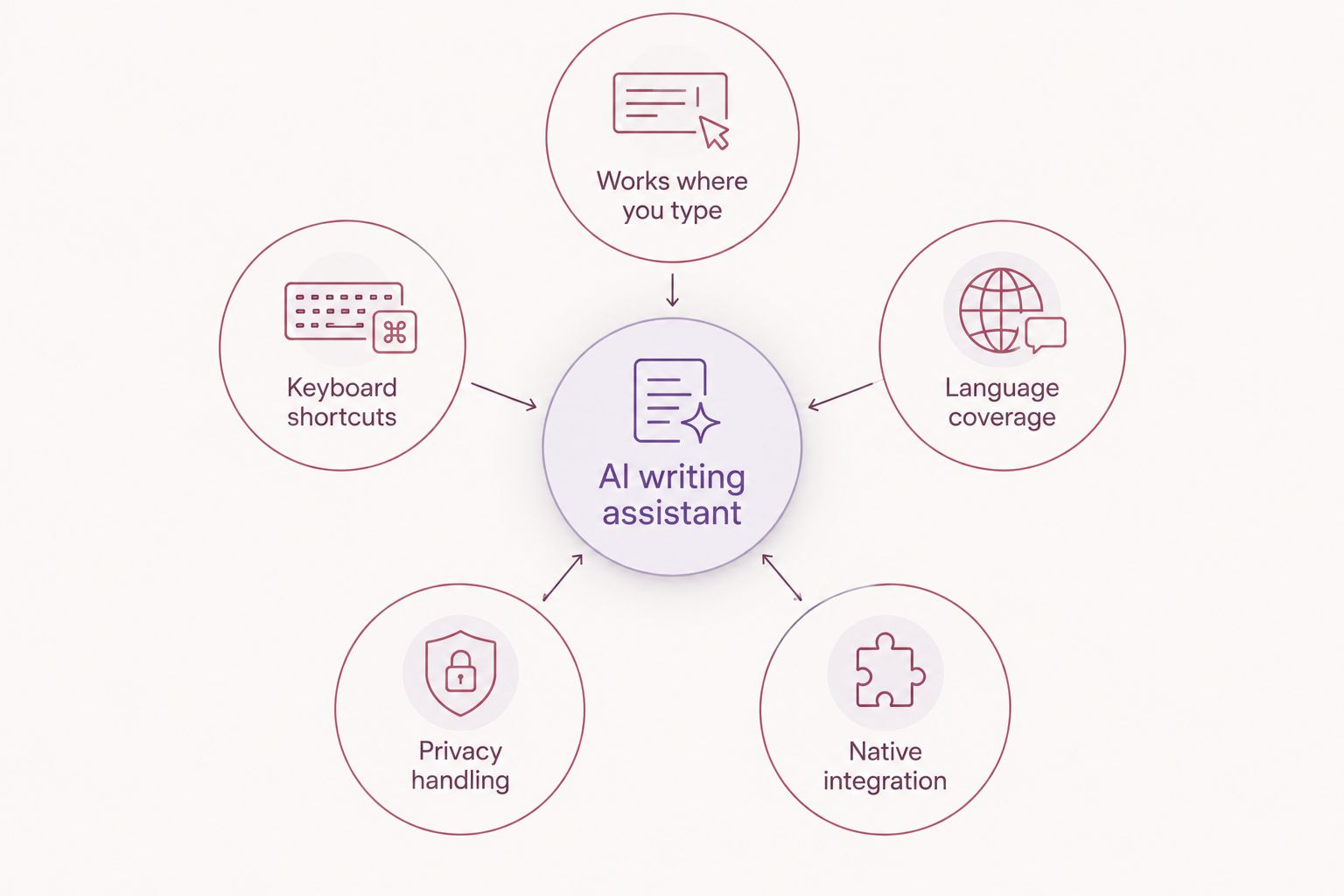
What makes the best AI writing assistant for Mac
- Works where you already type — menu bar or system-wide, not locked to a browser tab
- Keyboard shortcuts — a fix or translation in under a second, not a new window
- Language coverage — matters if you write or receive messages in more than one language
- Privacy handling — what happens to the text you select or paste
- Native macOS integration — Messages, Mail, Notes, and third-party apps, not just its own document editor
AI writing assistants for Mac at a glance
| Tool | Best for | Standout feature | Key limitation |
|---|---|---|---|
| PhraseLift | Multilingual writing | Translate and rewrite selected text anywhere on Mac | iPhone keyboard is still in progress |
| Apple Intelligence Writing Tools | Free system-wide editing | Built into macOS text fields, no install needed | Needs an Apple Intelligence-compatible Mac; no translation |
| Grammarly | Grammar and tone | Deep grammar and tone checking across apps | Not built for translation between languages |
| Wordtune | Rephrasing | Sentence-level rewrite and shorten/expand options | Doesn't check grammar as deeply as Grammarly |
| ChatGPT desktop app | Open-ended drafting | Global keyboard shortcut, writes from scratch | Requires prompting rather than inline correction |
| Notion AI | Writing inside notes | Drafts and summarizes directly in your workspace | Only works inside Notion, not system-wide |
1. PhraseLift: best AI writing assistant for Mac for multilingual writing
PhraseLift lives in your Mac's menu bar and works on whatever text you've selected — a WhatsApp message, an email draft, a Slack reply. Select the text, trigger the shortcut, and PhraseLift either translates it or rewrites it in the same language with cleaner phrasing. It's built specifically for people who switch languages during the workday, not as a side feature bolted onto a chatbot.
The app also anchors PhraseLift's own best AI translation apps comparison, which is worth a look if translation is your main problem rather than editing.
PhraseLift pros:
- Works system-wide on Mac — Messages, Mail, browser text fields, Notes
- Translation and writing improvement in the same tool, no app-switching
- Keyboard shortcuts mean no copy-paste round trip
PhraseLift cons:
- iPhone keyboard support is still in progress, so mobile parity isn't there yet
- Not built for long-form document drafting from a blank page
Best for: professionals and multilingual individuals who write across two or more languages daily. Verdict: Buy.
2. Apple Intelligence Writing Tools: best free system-wide option
Apple built rewrite, proofread, and summarize actions directly into macOS text fields, so they show up almost anywhere you can type — Mail, Notes, Pages, even third-party apps that use standard Mac text views. No download, no separate menu bar icon, no account needed for the basic actions.
The catch in 2026 is still hardware and scope: it needs an Apple Intelligence-compatible Mac and a recent macOS version, and it doesn't translate between languages the way a dedicated tool does.
Apple Intelligence Writing Tools pros:
- Free and already installed on compatible Macs
- Works across nearly any macOS text field
- No separate account or setup required
Apple Intelligence Writing Tools cons:
- Requires an Apple Intelligence-compatible Mac and current macOS
- No dedicated translation feature
- Style control is limited compared to a purpose-built tool
Best for: Mac users who want basic proofreading without installing anything. Verdict: Buy if your Mac supports it.
3. Grammarly: best for grammar and tone checking
Grammarly checks spelling, grammar, and tone, and its Mac desktop app plus keyboard extension let it work across most apps you type in, not just a browser. It's the most mature grammar checker on this list, built for catching mechanical errors and tone mismatches before you hit send.
What it doesn't do is translate. If your writing problem is a language switch rather than a comma splice, Grammarly won't help.
Grammarly pros:
- Strong, mature grammar and spelling detection
- Tone suggestions flag messages that read as too blunt or too casual
- Works across most Mac apps via its keyboard integration
Grammarly cons:
- No translation between languages
- Advanced tone and plagiarism features sit behind a paid tier
- Suggestions can feel generic for creative or informal writing
Best for: anyone whose main writing risk is grammar or tone, not language. Verdict: Buy.
4. Wordtune: best for rephrasing sentences you've already written
Wordtune's job is narrower than the others: you give it a sentence, it gives you rewrites — shorter, more formal, more casual, expanded. It's a rephrasing tool first, not a grammar checker or translator, and it's genuinely good at that one job on Mac through its browser extension and desktop app.
Wordtune pros:
- Fast, focused sentence rewrites in multiple tones
- Good for tightening a sentence that reads as clunky
- Simple interface with little learning curve
Wordtune cons:
- Doesn't check grammar as thoroughly as Grammarly
- Limited language support for rewriting compared to a translation-first tool
Best for: writers who already have a draft and need it to read better sentence by sentence. Verdict: Hold unless rephrasing is your specific bottleneck.
5. ChatGPT desktop app: best for open-ended drafting
The ChatGPT app for Mac runs system-wide with a global keyboard shortcut, so you can summon it from any app to draft an email, brainstorm an outline, or ask for a rewrite. It's the strongest option here for starting from nothing — a blank page, a rough idea, a list of bullet points that need to become paragraphs.
It's weaker at the specific job most people actually have most days: fixing the sentence they already wrote. You have to prompt it, wait for a response, then decide what to keep, instead of getting an instant inline correction.
ChatGPT desktop app pros:
- Global shortcut works from any Mac app
- Strong for brainstorming and drafting from scratch
- Handles long-form requests, not just single sentences
ChatGPT desktop app cons:
- Slower than inline tools for a quick grammar or translation fix
- Can produce confident but inaccurate claims in factual writing
- Not tuned to match the tone of your existing draft automatically
Best for: starting new content, not polishing existing text. Verdict: Buy for drafting, Skip if you just need a quick fix.
6. Notion AI: best for writing inside your notes
Notion AI is built directly into Notion pages, so if your writing already happens in Notion — meeting notes, project docs, drafts — it can draft, summarize, or continue text without leaving the page. It's convenient precisely because it doesn't ask you to switch tools.
The limitation is scope: it only works inside Notion. If you write in Mail, Messages, or a browser, Notion AI can't reach that text at all.
Notion AI pros:
- No app-switching if your writing already lives in Notion
- Handles drafting and summarizing within long documents
- Useful for turning meeting notes into structured writeups
Notion AI cons:
- Only works inside Notion, not system-wide on Mac
- Requires a Notion account and workspace
Best for: teams and individuals who already write inside Notion daily. Verdict: Buy if you're already in Notion, Skip otherwise.
“If a tool can't fix the sentence you're already writing, you're running two apps instead of one.”
How we ranked these AI writing assistants for Mac
Each tool was placed against the five criteria above: system-wide reach, shortcut speed, language coverage, privacy handling, and native macOS integration. Tools that require copy-pasting into a separate window lost points on speed even when their output quality was strong. Translation coverage split the field cleanly — PhraseLift is built around it, Apple Intelligence and Notion AI don't offer it at all.
Try PhraseLift on your Mac
Translate or rewrite any selected text without leaving your app.
Which AI writing assistant for Mac should you choose?
If you write or receive messages in more than one language, PhraseLift is the default pick for 2026 — it handles translation and rewriting in the same shortcut, right where you're already typing. If your Mac supports it and you just want free proofreading, start with Apple Intelligence Writing Tools before paying for anything. If grammar and tone are your actual problem, Grammarly still does that job better than any general-purpose chatbot. Everyone else falls somewhere between rephrasing (Wordtune), drafting from scratch (ChatGPT), and writing inside an existing workspace (Notion AI).
FAQ
What's the best AI writing assistant for Mac in 2026?
PhraseLift is the best overall pick for multilingual writing because it translates and rewrites selected text system-wide on Mac. Grammarly is stronger specifically for grammar and tone in a single language.
Is Apple Intelligence better than Grammarly for Mac?
Apple Intelligence Writing Tools is free and built into macOS, which makes it a good starting point, but its rewrite and proofread actions are less specialized than Grammarly's dedicated grammar and tone engine. Grammarly wins for accuracy on tone mismatches.
Does ChatGPT work as a writing assistant on Mac?
Yes, the ChatGPT desktop app runs system-wide with a global keyboard shortcut and works well for drafting from scratch. It's slower than inline tools like PhraseLift or Apple Intelligence when you just need a quick fix to an existing sentence.
Can PhraseLift translate text on Mac?
Yes, PhraseLift translates selected text anywhere on Mac through its menu bar app and keyboard shortcuts, covering apps like Messages, Mail, and browsers. It also improves writing in the same language when translation isn't needed.
What's the difference between Wordtune and Grammarly?
Wordtune focuses narrowly on rephrasing sentences into different tones or lengths, while Grammarly checks grammar, spelling, and tone across your writing. Use Wordtune when a sentence reads awkwardly and Grammarly when you need broader error checking.
Is Notion AI worth it for writing on Mac?
Notion AI is worth it if your writing already happens inside Notion, since it can draft and summarize without leaving the page. It doesn't work outside Notion, so it's not a system-wide Mac writing assistant.
Do I need an internet connection for these AI writing tools on Mac?
PhraseLift, Grammarly, Wordtune, ChatGPT, and Notion AI all require an internet connection since they process text through AI models. Apple Intelligence Writing Tools also relies on a connection for some of its more complex requests.
One last thing
Most AI writing tools still make you switch windows or copy-paste into a separate box. The ones that don't — PhraseLift, Apple Intelligence, and Grammarly's desktop app — hook directly into macOS's text-selection layer instead of running inside a browser tab, which is the real reason they feel faster in daily use. If you've tried an AI writing tool on Mac and found it slow, check whether it's system-wide before blaming the AI model behind it.