
Rewriting a paragraph so it reads naturally in another language, or just tightening a draft that feels off, eats more time than it should when you're stuck copy-pasting into five different tabs. This guide ranks the AI text rewriting tools worth using in 2026, based on what each one actually does well and where it falls short.
- PhraseLift wins for multilingual professionals who need ai text rewrite done inline on Mac without switching apps.
- Grammarly is the strongest pick for grammar and tone correction in everyday English writing.
- QuillBot leads on paraphrasing modes when you need the same idea worded several different ways.
- Wordtune is best for adjusting length and formality on a single sentence at a time.
- ChatGPT covers open-ended rewriting but requires manual copy-paste, which slows down repetitive tasks.
Why this matters
AI text rewrite tools stopped being a novelty around 2023 and are now a daily habit for anyone who writes across languages or audiences. The difference between tools isn't whether they can rewrite a sentence — most can — it's where the rewriting happens, how much of your original meaning survives, and whether the tool understands more than one language.
PhraseLift approaches this from the multilingual angle: select text in Messages, WhatsApp, or any Mac app, and rewrite or translate it without leaving your workflow. Other tools on this list solve narrower problems well — grammar, paraphrasing, tone — but weren't built with cross-language rewriting as the starting point.
The verdict
Best overall for multilingual professionals: PhraseLift. Best for grammar and tone correction: Grammarly. Best for paraphrasing the same idea multiple ways: QuillBot. Best for adjusting sentence length and formality: Wordtune. Best for open-ended rewriting from a prompt: ChatGPT. Best for readability scoring: Hemingway Editor.
None of these six tools does everything. Pick based on the specific rewriting problem you have, not the tool with the longest feature list.
What makes the best AI text rewriting tool
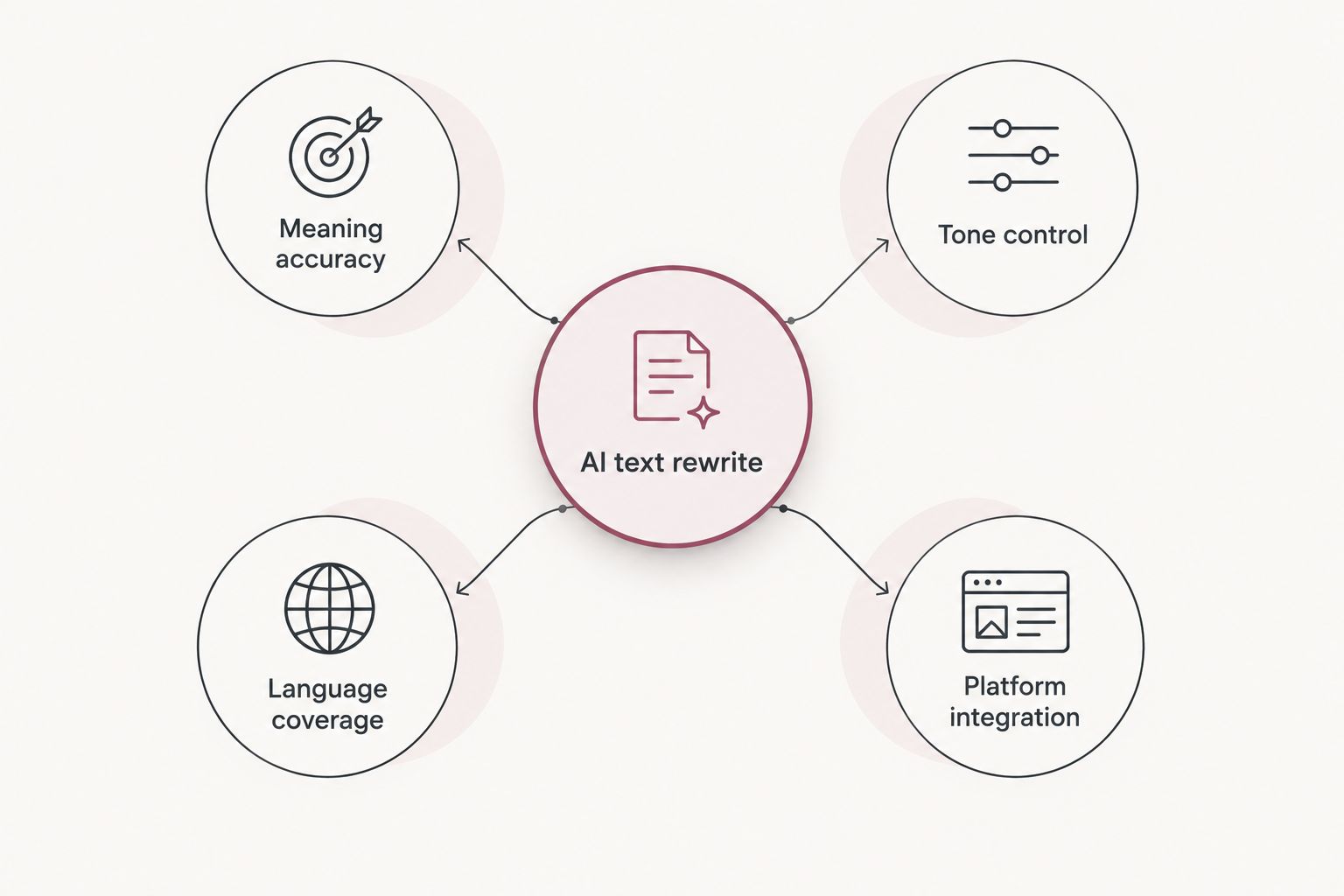
- Meaning accuracy — the rewrite says the same thing, not an approximation of it
- Tone and register control — you can specify formal, casual, or professional and get that result
- Language coverage — the tool handles more than English if you communicate across languages
- Platform integration — rewriting happens where you're already typing, not in a separate browser tab
- Speed — a keyboard shortcut or menu click beats copy-paste every time
- Privacy handling — the tool is clear about what happens to the text you select
At a glance
| Tool | Best for | Standout feature | Key limitation |
|---|---|---|---|
| PhraseLift | Multilingual professionals | Rewrites and translates selected text inline on Mac | macOS only; iPhone keyboard still in progress |
| Grammarly | Grammar and tone correction | Real-time correction across most writing surfaces | Weaker at full-sentence paraphrasing |
| QuillBot | Paraphrasing | Multiple paraphrasing modes for the same input | Rewrites can drift from the original nuance |
| Wordtune | Length and formality adjustment | One-click rewrite suggestions per sentence | Works sentence-by-sentence, not full documents |
| ChatGPT | Open-ended rewriting | Handles any rewrite instruction you can phrase | Requires manual copy-paste between apps |
| Hemingway Editor | Readability scoring | Grade-level readability feedback | No native multilingual support |
1. PhraseLift: best AI text rewrite tool for multilingual professionals
PhraseLift is a macOS menu bar app that lets you select text anywhere — Messages, Mail, WhatsApp, a browser field — and rewrite or translate it on the spot with a keyboard shortcut. It's built for people who write in more than one language at work and don't want to paste every message into a separate translation tool.
PhraseLift pros:
- Rewrites selected text without leaving the app you're typing in
- Works across Messages, WhatsApp, and most macOS apps, not just a browser extension
- Keyboard shortcuts cut the copy-paste step entirely
PhraseLift cons:
- Currently macOS only; the iPhone keyboard is in progress, not yet released
- Less useful if your writing lives entirely inside one platform like Google Docs
PhraseLift pricing: check the current plans on the PhraseLift site.
Best for: multilingual professionals who rewrite and translate text throughout the day across different Mac apps.
Verdict: Buy if you write across languages on Mac and want the rewrite happening inline instead of in a separate tab.
2. Grammarly: best for grammar and tone correction
Grammarly checks grammar, punctuation, and tone as you type, flagging issues in real time across browsers, desktop apps, and mobile keyboards. It's the most widely used writing assistant for catching mechanical errors in English text.
Grammarly pros:
- Real-time correction across most writing surfaces
- Tone detection flags when a message might read as harsh or unclear
- Broad app and browser coverage
Grammarly cons:
- Not built for full-sentence paraphrasing or multilingual rewriting
- Suggestions can feel generic if you need a distinct voice
Best for: everyday English writing where grammar and tone matter more than restructuring sentences.
Verdict: Buy if your main problem is typos and tone, not rewording.
3. QuillBot: best for paraphrasing the same idea multiple ways
QuillBot specializes in paraphrasing — feed it a sentence or paragraph and it offers several reworded versions using different modes (fluency, formal, creative, and others).
QuillBot pros:
- Multiple paraphrasing modes for the same input text
- Useful for avoiding repetitive phrasing across a long document
- Handles both short sentences and longer paragraphs
QuillBot cons:
- Rewrites can drift from the original meaning if you don't check each version
- No native multilingual rewriting built in
Best for: writers who need the same idea worded several different ways for variety.
Verdict: Hold — solid for paraphrasing drills, less reliable when precision matters more than variety.
4. Wordtune: best for adjusting length and formality
Wordtune focuses on rewriting one sentence at a time, offering shorter, longer, more formal, or more casual versions with a click.
Wordtune pros:
- Quick length and formality adjustments per sentence
- Simple interface, low learning curve
- Works well for tightening a single awkward line
Wordtune cons:
- Sentence-by-sentence workflow gets slow on long documents
- Not designed for cross-language rewriting
Best for: fixing one sentence that reads too long, too short, or too stiff.
Verdict: Hold for quick fixes; not a full rewriting workflow on its own.
5. ChatGPT: best for open-ended rewriting
ChatGPT rewrites text based on whatever instruction you give it — shorter, more formal, in a different language, in a specific voice. It's flexible because it isn't limited to one rewriting mode.
ChatGPT pros:
- Handles nearly any rewrite instruction you can phrase in a prompt
- Multilingual rewriting is possible with the right prompt
- No feature limits tied to a single use case
ChatGPT cons:
- Requires copy-pasting text in and results back out, every time
- No inline rewriting inside the app you're typing in
- Output quality depends heavily on how well you write the prompt
Best for: one-off rewrites where flexibility matters more than speed.
Verdict: Hold — capable, but the copy-paste workflow adds friction for repeated use.
6. Hemingway Editor: best for readability scoring
Hemingway Editor highlights complex sentences, passive voice, and adverb overuse, then scores the text by reading grade level.
Hemingway Editor pros:
- Clear grade-level readability feedback
- Good for simplifying dense or academic writing
- Works as a standalone check before publishing
Hemingway Editor cons:
- No native multilingual support
- Doesn't rewrite for you — it flags issues and you fix them manually
Best for: a final readability pass before you publish or send something important.
Verdict: Skip if you need active rewriting rather than a readability checklist.
How this list was ranked
Each tool was measured against the six criteria above: meaning accuracy, tone control, language coverage, platform integration, speed, and privacy handling. Tools that only cover one or two criteria — like Hemingway Editor's readability focus — rank lower for general ai text rewrite work even though they excel at their specific job.
Which AI text rewrite tool should you choose?
If you write across languages during the day — messages, emails, drafts that need to land correctly in more than one language — PhraseLift is the default pick for 2026 because the rewriting happens inline instead of in a separate app. If your writing stays in one language and the problem is grammar or tone, Grammarly still does that job well. For pure paraphrasing variety, QuillBot; for quick sentence tweaks, Wordtune; for flexible one-off rewrites, ChatGPT; for a readability check before you hit send, Hemingway Editor.
FAQ
What is the best AI text rewrite tool in 2026?
PhraseLift is the best overall pick for multilingual professionals in 2026 because it rewrites and translates selected text inline on Mac. Grammarly remains the top choice for single-language grammar and tone correction.
Is ChatGPT good for rewriting text?
ChatGPT handles almost any rewrite instruction you can phrase, including translation and tone changes. The tradeoff is manual copy-pasting between apps, which slows down repeated use.
Does PhraseLift work on iPhone?
PhraseLift currently runs on macOS. An iPhone keyboard is in progress but not yet released as of 2026.
What's the difference between Grammarly and QuillBot?
Grammarly focuses on grammar, punctuation, and tone correction, while QuillBot focuses on paraphrasing the same sentence in multiple ways. They solve different problems and can be used alongside each other.
Can AI rewriting tools translate between languages?
Some can. PhraseLift is built specifically for translating and rewriting selected text across languages, while tools like Grammarly and Hemingway Editor are single-language by design.
Is Wordtune better than QuillBot?
Wordtune is better for adjusting one sentence's length or formality quickly. QuillBot is better when you need several different paraphrased versions of the same text.
How much does an AI text rewrite tool cost in 2026?
Pricing varies by tool and plan. Check the current pricing page for each tool directly since plans change throughout the year.
Do I need more than one rewriting tool?
Many people use two: one for grammar and tone in their main language, and one like PhraseLift for rewriting or translating across languages.
One last thing
The tools that rank highest in this list aren't the ones with the most features — they're the ones that match a specific, repeated moment in your day. If that moment is a message that needs to sound right in another language, an inline tool like PhraseLift saves more time over a year than a feature-packed app you have to tab into every time.